

Finding a router that balances cost with performance can feel overwhelming. Many Kenyan households struggle with dropped connections during video calls or buffering issues when streaming their favourite shows. The right router transforms your internet experience, turning frustration into reliable connectivity for work, school, and entertainment.
Smart shoppers are discovering that the cheapest wifi router in Kenya no longer means sacrificing quality or performance. Today’s affordable models pack impressive features that once belonged exclusively to premium devices. Entry-level routers now deliver genuine value, offering reliable speeds and solid coverage that support streaming, remote work, and online learning without breaking your budget.
Understanding What Makes a Router Reliable
Dual-Band Technology Matters: Modern affordable routers operate on both 2.4GHz and 5GHz frequencies, giving you flexibility in how devices connect. The 2.4GHz band reaches further through walls, ideal for bedrooms, whilst the 5GHz band delivers faster speeds for devices closer to the router like laptops and smart televisions.
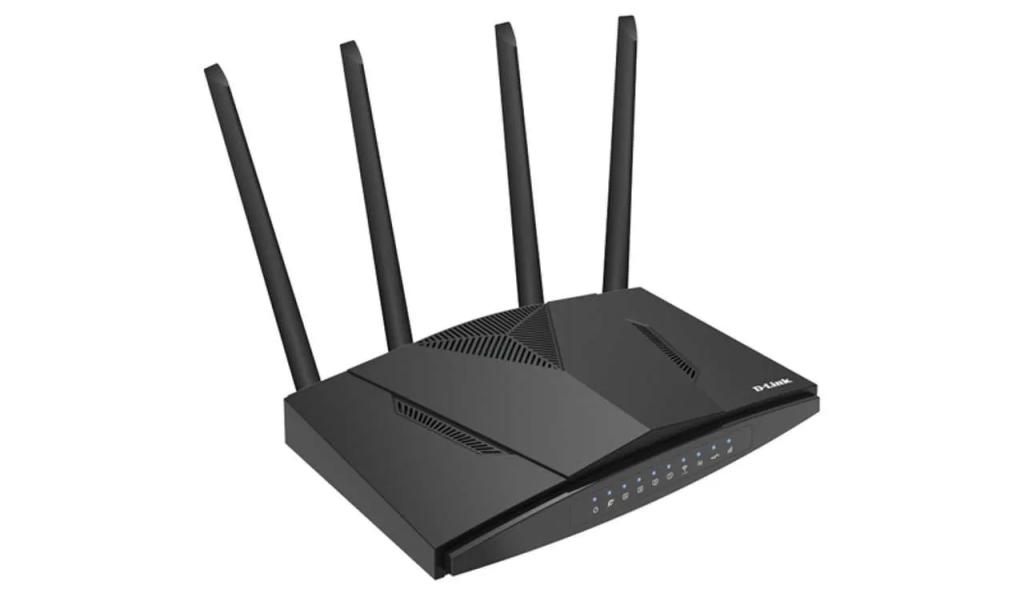
Coverage Area Considerations: A two or three-bedroom flat needs different coverage than a standalone house. Routers with external antennas generally provide better signal distribution. Consider your home’s layout, including thick walls or multiple floors, when evaluating coverage specifications from manufacturers.
Connection Capacity for Growing Needs: Households today connect far more devices than before. Smartphones, tablets, laptops, smart televisions, and even appliances all compete for bandwidth. Quality affordable routers now support 15 to 20 simultaneous connections without significant performance drops, accommodating your family’s current and future requirements.
Key Features That Separate Good from Disappointing
- Processor speed determines how efficiently your router handles multiple data streams, with anything above 700MHz providing adequate performance for typical home usage.
- Memory capacity affects stability during heavy loads, and routers with at least 128MB RAM maintain consistent performance throughout the day.
- Ethernet ports offer wired connection options for devices needing maximum stability, particularly useful for work computers or gaming consoles.
- Quality of Service settings let you prioritise certain devices or applications, ensuring video calls don’t lag when someone else is downloading files.
Speed Specifications and Real-World Performance
Advertised Versus Actual Speeds: Marketing materials often showcase theoretical maximum speeds that rarely materialise in everyday use. A router labelled AC1200 suggests combined speeds of 1200Mbps across both bands, but practical speeds depend heavily on your internet service provider package, distance from the router, and interference from neighbouring networks.
Matching Router to Your Internet Plan: Purchasing a high-speed router makes little sense if your subscribed internet speed is modest. If your plan provides 20Mbps download speeds, an expensive router won’t magically increase that. Focus instead on reliability features like consistent signal strength and efficient device management.
Setup Simplicity and Management Options
Initial Configuration Process: Modern routers simplify setup through mobile applications that guide you through connecting and securing your network. You scan a code, follow prompts, and within minutes your network is broadcasting. Some models require computer-based setup through web browsers, which works well but needs slightly more technical comfort.
Parental Controls and Network Management: Affordable models increasingly include features once reserved for premium devices. You can schedule internet access times for children’s devices, block inappropriate content, and monitor which devices consume the most bandwidth. These tools help maintain healthy digital habits whilst protecting your household from security risks.
Common Pitfalls When Shopping on Tight Budgets
Overlooking Security Features: The absolute cheapest options sometimes skimp on security protocols like WPA3 encryption. These routers function but leave your network vulnerable to unauthorised access. Neighbours or malicious actors could potentially access your internet or intercept sensitive information like banking details or passwords.
Ignoring Warranty and Support: A router failing after six months wastes money regardless of the initial savings. Reputable brands offer at least one-year warranties and accessible customer support. This backing matters when troubleshooting issues, as technical support can resolve problems remotely without requiring replacement or expensive technician visits.
Placement and Environmental Factors: Even excellent routers perform poorly when positioned incorrectly. Placing your router inside cupboards, behind thick furniture, or near microwaves significantly degrades signal quality. Central locations on shelves or mounted on walls provide optimal coverage, allowing signals to radiate evenly throughout your home.
Balancing Cost with Long-Term Value
Calculating Total Cost of Ownership: A slightly more expensive router that lasts four years costs less annually than replacing a bargain model every 18 months. Factor in the frustration of recurring connectivity issues, time spent troubleshooting, and potential work disruptions. Sometimes spending an additional thousand shillings upfront saves considerably more in hassle.
Expandability and Upgrade Paths: Some affordable routers support mesh networking extensions if your coverage needs grow. Starting with a single unit and adding nodes later spreads costs whilst ensuring you are not locked into inadequate coverage. This flexibility proves particularly valuable for families planning to move to larger homes.
Conclusion
Affordable connectivity doesn’t mean compromising on stability or performance for your Kenyan home. Today’s entry-level routers deliver the reliability needed for remote work, online learning, and family entertainment without breaking your budget. Prioritise features that match your actual usage patterns rather than chasing specifications that exceed your requirements. Ready to upgrade your home network? Explore reliable router options that transform your internet experience from frustrating to dependable today.
Finding a router that balances cost with performance can feel overwhelming. Many Kenyan households struggle with dropped connections during video calls or buffering issues when streaming their favourite shows. The right router transforms your internet experience, turning frustration into reliable connectivity for work, school, and entertainment.
Smart shoppers are discovering that the cheapest wifi router in Kenya no longer means sacrificing quality or performance. Today’s affordable models pack impressive features that once belonged exclusively to premium devices. Entry-level routers now deliver genuine value, offering reliable speeds and solid coverage that support streaming, remote work, and online learning without breaking your budget.
Understanding What Makes a Router Reliable
Dual-Band Technology Matters: Modern affordable routers operate on both 2.4GHz and 5GHz frequencies, giving you flexibility in how devices connect. The 2.4GHz band reaches further through walls, ideal for bedrooms, whilst the 5GHz band delivers faster speeds for devices closer to the router like laptops and smart televisions.
Coverage Area Considerations: A two or three-bedroom flat needs different coverage than a standalone house. Routers with external antennas generally provide better signal distribution. Consider your home’s layout, including thick walls or multiple floors, when evaluating coverage specifications from manufacturers.
Connection Capacity for Growing Needs: Households today connect far more devices than before. Smartphones, tablets, laptops, smart televisions, and even appliances all compete for bandwidth. Quality affordable routers now support 15 to 20 simultaneous connections without significant performance drops, accommodating your family’s current and future requirements.
Key Features That Separate Good from Disappointing
- Processor speed determines how efficiently your router handles multiple data streams, with anything above 700MHz providing adequate performance for typical home usage.
- Memory capacity affects stability during heavy loads, and routers with at least 128MB RAM maintain consistent performance throughout the day.
- Ethernet ports offer wired connection options for devices needing maximum stability, particularly useful for work computers or gaming consoles.
- Quality of Service settings let you prioritise certain devices or applications, ensuring video calls don’t lag when someone else is downloading files.
Speed Specifications and Real-World Performance
Advertised Versus Actual Speeds: Marketing materials often showcase theoretical maximum speeds that rarely materialise in everyday use. A router labelled AC1200 suggests combined speeds of 1200Mbps across both bands, but practical speeds depend heavily on your internet service provider package, distance from the router, and interference from neighbouring networks.
Matching Router to Your Internet Plan: Purchasing a high-speed router makes little sense if your subscribed internet speed is modest. If your plan provides 20Mbps download speeds, an expensive router won’t magically increase that. Focus instead on reliability features like consistent signal strength and efficient device management.
Setup Simplicity and Management Options
Initial Configuration Process: Modern routers simplify setup through mobile applications that guide you through connecting and securing your network. You scan a code, follow prompts, and within minutes your network is broadcasting. Some models require computer-based setup through web browsers, which works well but needs slightly more technical comfort.
Parental Controls and Network Management: Affordable models increasingly include features once reserved for premium devices. You can schedule internet access times for children’s devices, block inappropriate content, and monitor which devices consume the most bandwidth. These tools help maintain healthy digital habits whilst protecting your household from security risks.
Common Pitfalls When Shopping on Tight Budgets
Overlooking Security Features: The absolute cheapest options sometimes skimp on security protocols like WPA3 encryption. These routers function but leave your network vulnerable to unauthorised access. Neighbours or malicious actors could potentially access your internet or intercept sensitive information like banking details or passwords.
Ignoring Warranty and Support: A router failing after six months wastes money regardless of the initial savings. Reputable brands offer at least one-year warranties and accessible customer support. This backing matters when troubleshooting issues, as technical support can resolve problems remotely without requiring replacement or expensive technician visits.
Placement and Environmental Factors: Even excellent routers perform poorly when positioned incorrectly. Placing your router inside cupboards, behind thick furniture, or near microwaves significantly degrades signal quality. Central locations on shelves or mounted on walls provide optimal coverage, allowing signals to radiate evenly throughout your home.
Balancing Cost with Long-Term Value
Calculating Total Cost of Ownership: A slightly more expensive router that lasts four years costs less annually than replacing a bargain model every 18 months. Factor in the frustration of recurring connectivity issues, time spent troubleshooting, and potential work disruptions. Sometimes spending an additional thousand shillings upfront saves considerably more in hassle.
Expandability and Upgrade Paths: Some affordable routers support mesh networking extensions if your coverage needs grow. Starting with a single unit and adding nodes later spreads costs whilst ensuring you are not locked into inadequate coverage. This flexibility proves particularly valuable for families planning to move to larger homes.
Conclusion
Affordable connectivity doesn’t mean compromising on stability or performance for your Kenyan home. Today’s entry-level routers deliver the reliability needed for remote work, online learning, and family entertainment without breaking your budget. Prioritise features that match your actual usage patterns rather than chasing specifications that exceed your requirements. Ready to upgrade your home network? Explore reliable router options that transform your internet experience from frustrating to dependable today.